
 Search within the site


1
Overview
1. Abstract
To clearly communicate to customers the experiences obtained when users use products and services (User Experience; UX) and the specific situations and contexts in which products and services are used (Scenes) (hereinafter collectively referred to as “UX scenes”), we developed 3D characters. When creating UX scenes for products and services, assembling consistent images of people and products using stock materials from web services is challenging , and adjustments require significant effort. This technology resolves these issues by leveraging our company’s original 3D models (3D characters and product 3D models). For creators of explanatory materials that include UX scenes for products and services, this approach enables efficient and flexible document production. For readers of the materials, it provides consistent visuals that clearly convey information. To enhance versatility, the digital models were optimized for use in PowerPoint, our in-house sharing tool (Fig. 1).
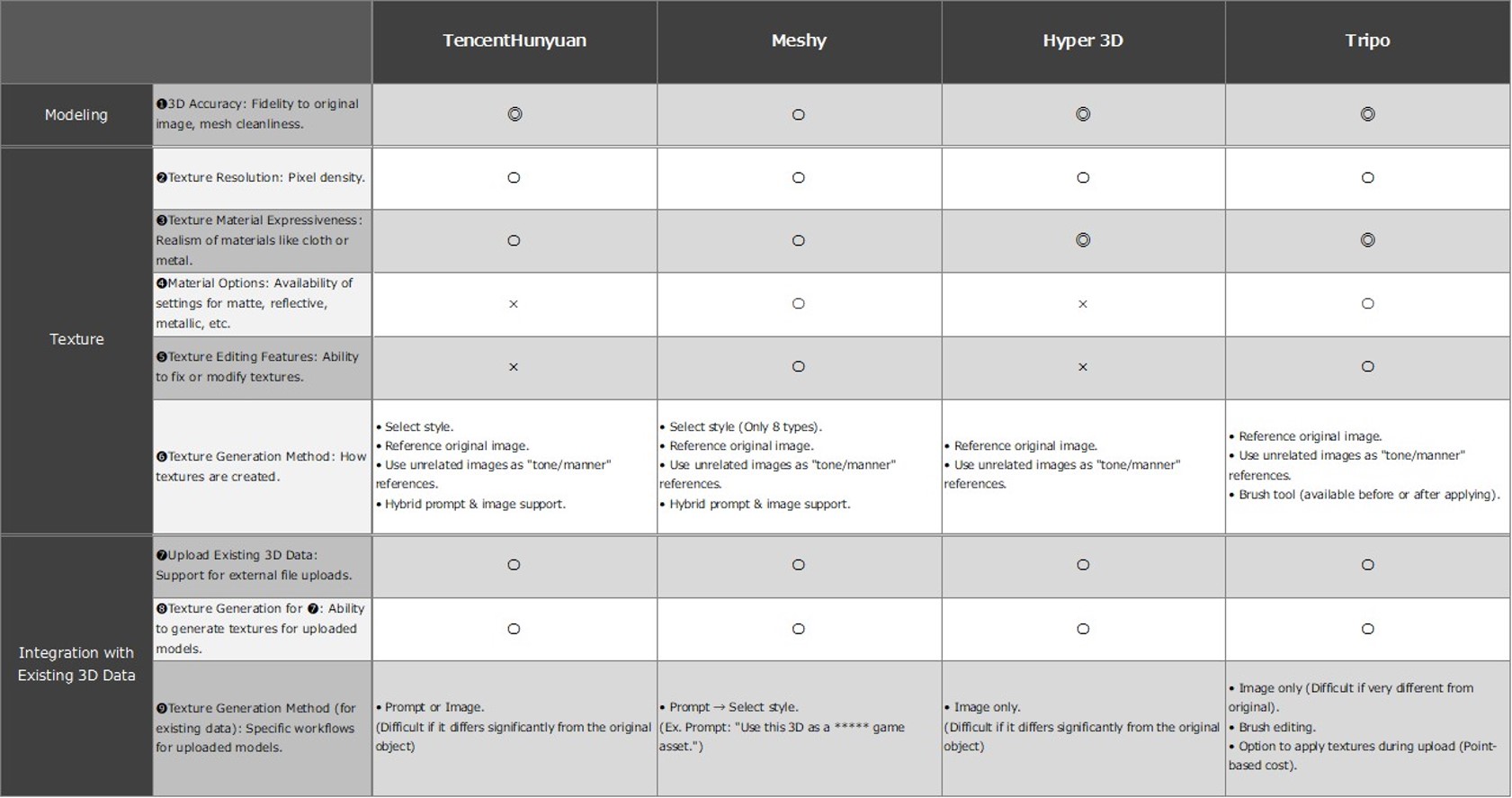
Fig. 1 Comparison table of stock materials and original materials
2
Details
■Configuration
We offer a lineup of 3D characters in glb format that can be handled in PowerPoint, as well as simplified product 3D models that can be imported into PowerPoint materials by drag-and-drop. The imported 3D models can be freely arranged by moving, rotating, and scaling, enabling efficient creation of consistent scenes (Fig. 2).
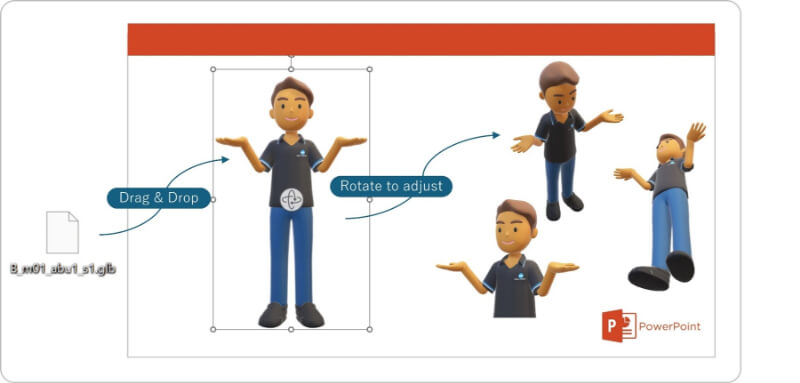
Fig. 2 Workflow for importing 3D models into PowerPoint
■Functions / Features / Applications
1. Platform Design
These 3D models adopt the glb format, which can be used generically in PowerPoint, and are designed as lightweight data to provide an environment that anyone in the company can use comfortably. This design assumes use in PowerPoint and enables multipurpose use within a company.
2. Character Design
The characters were designed to balance approachability with stability while holding products. Multiple poses are prepared for each character, supporting clearer visual storytelling in the scenes created with them. The lineup was evaluated with global use in mind, and efficient deployment of variations is possible through component recombination (Fig. 3–7).
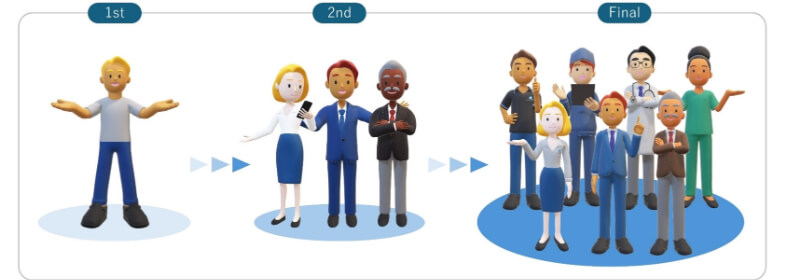
Fig. 3 Design evolution (evaluation assuming global use)
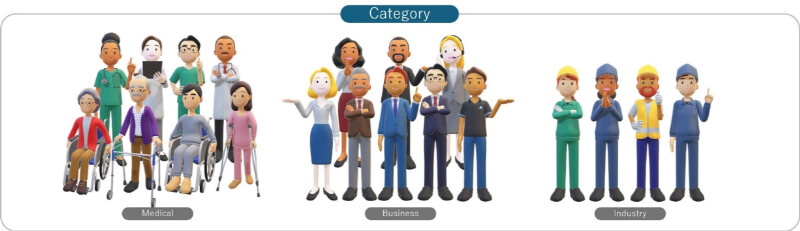
Fig. 4 Multi-business support: Business / Medical / Industry
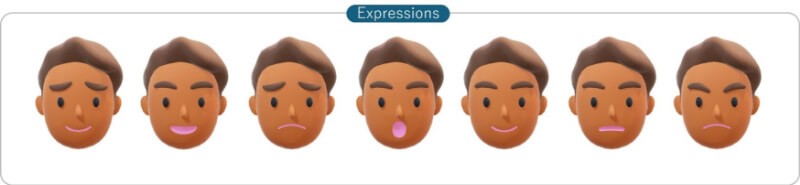
Fig. 5 Facial expression variations
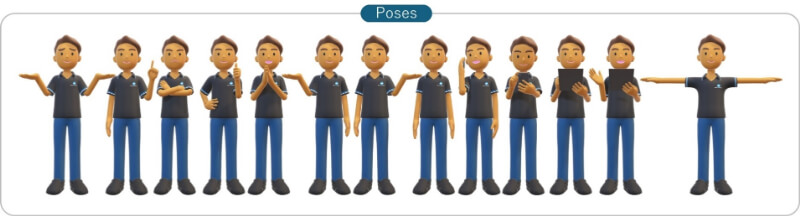
Fig. 6 Pose variations
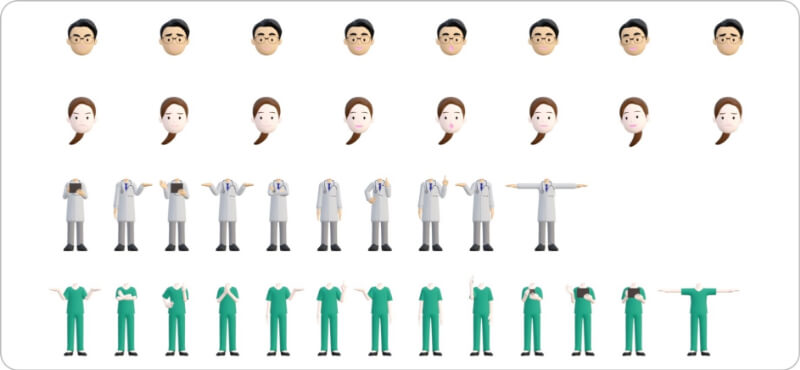
Fig. 7 Efficient variation deployment through component recombination
3. Product 3D Models
The product 3D models are simplified to match the character style while maintaining an appearance that preserves the balance of the actual equipment (Fig. 8).
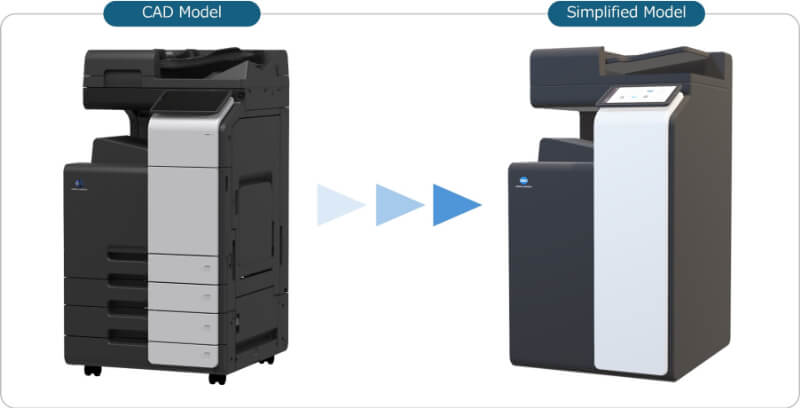
Fig. 8 Simplification of product 3D models
4. Creating UX Scenes
When creating UX scenes in PowerPoint, using 3D models provides visual consistency and allows the user experience image to be presented more clearly (Figs. 9 and 10).
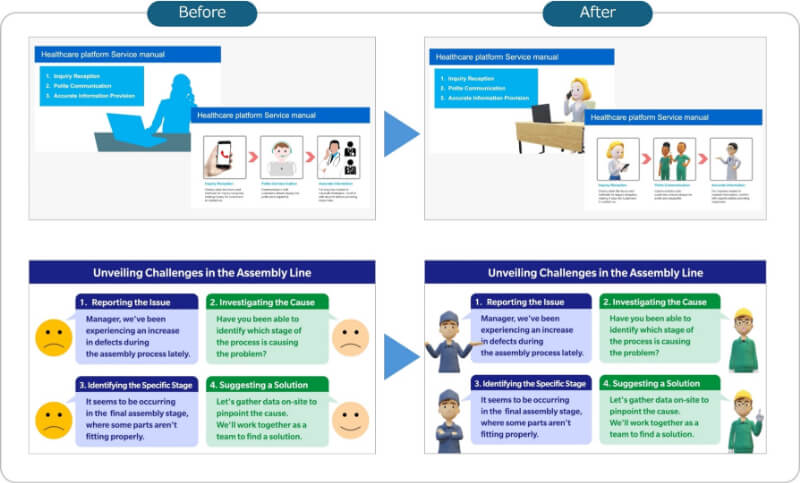
Fig. 9 Before and after using 3D characters
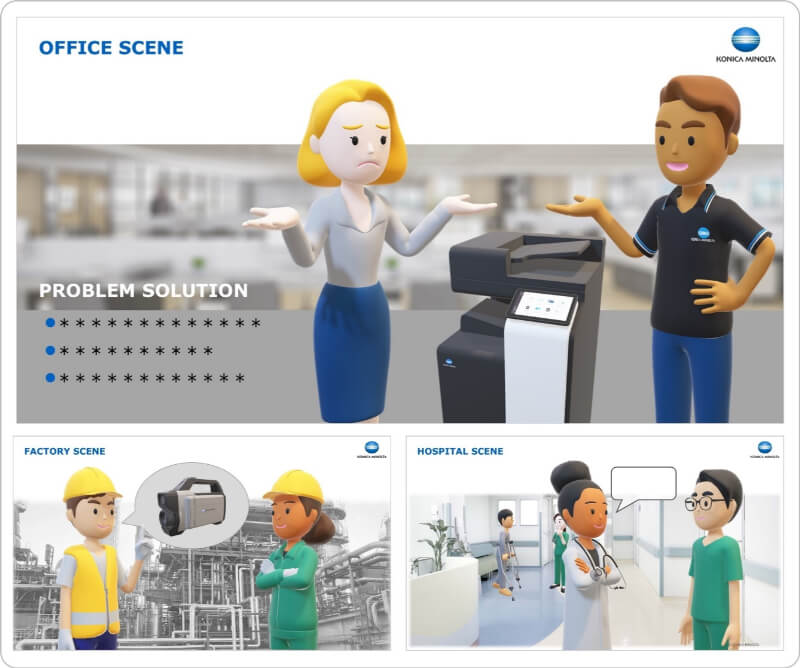
Fig. 10 Example UX scenes
5. 3D Presentations Using AI Lip Sync
Lip-sync technology synchronizes the mouth movements of 3D characters with audio generated by generative AI, helping overcome language barriers in global presentations. When 3D characters present in English, information can be conveyed in a friendly and clear manner without relying on the presenter’s English proficiency. Because 3D character animation does not require filming with dedicated equipment and AI audio does not require recording, attractive content can be produced without a studio (Fig. 11).
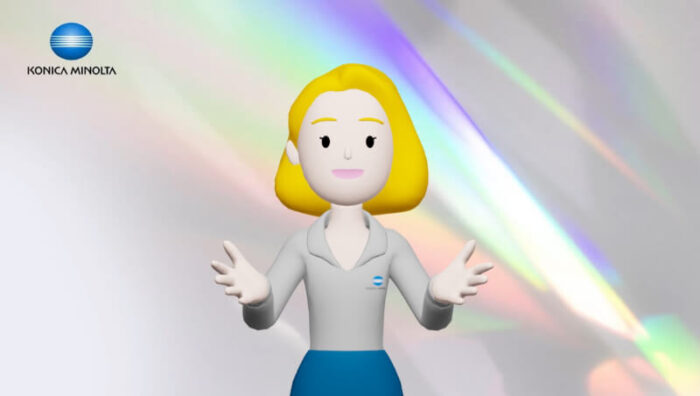
Fig. 11 Lip sync
■Future outlook
While promoting company-wide deployment, we will increase synergy by collecting use cases and expanding them horizontally. By leveraging AI, we aim to improve the efficiency of 3D character production and build an environment in which users can easily develop variations.